Personal Assistant CV Examples
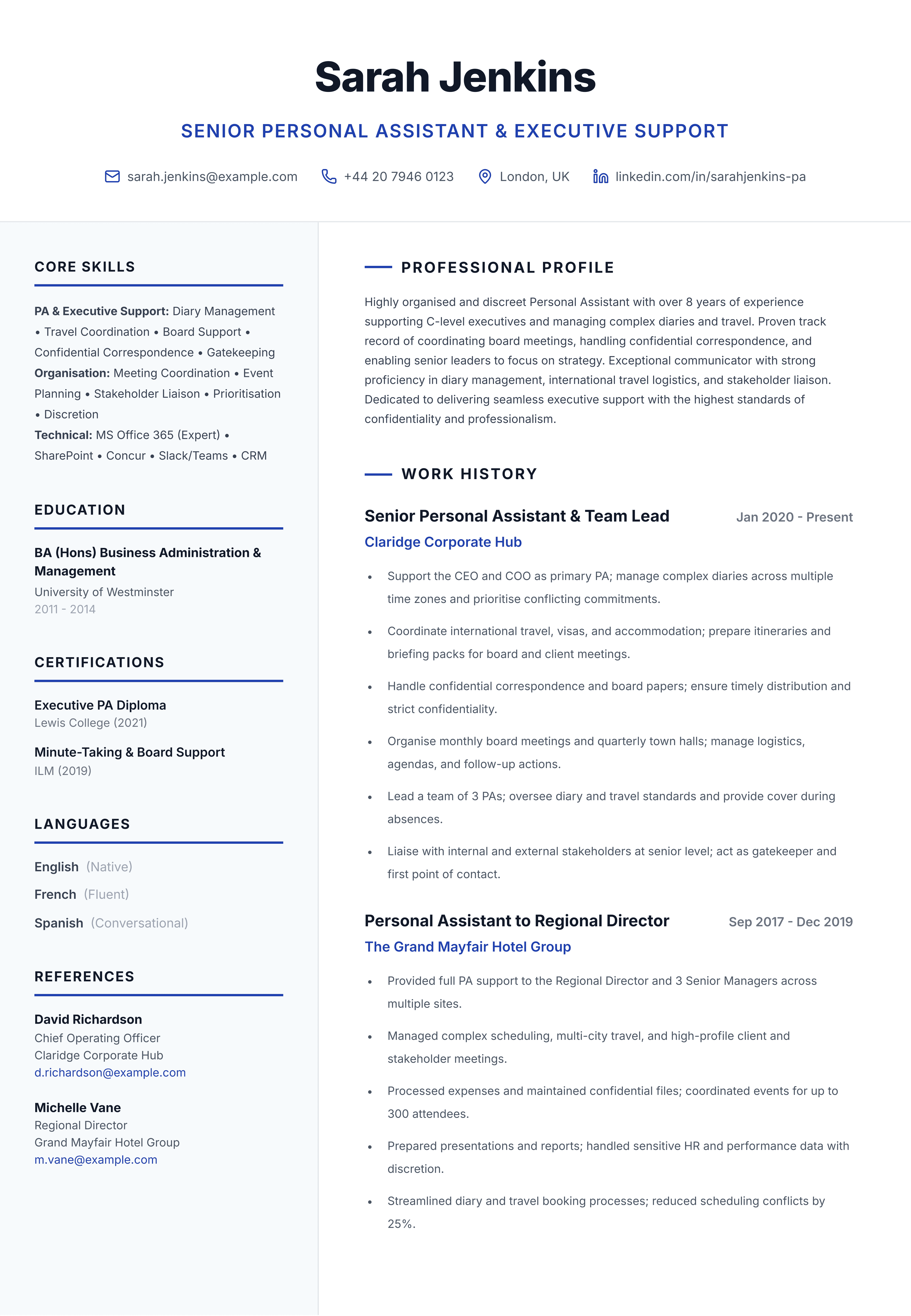
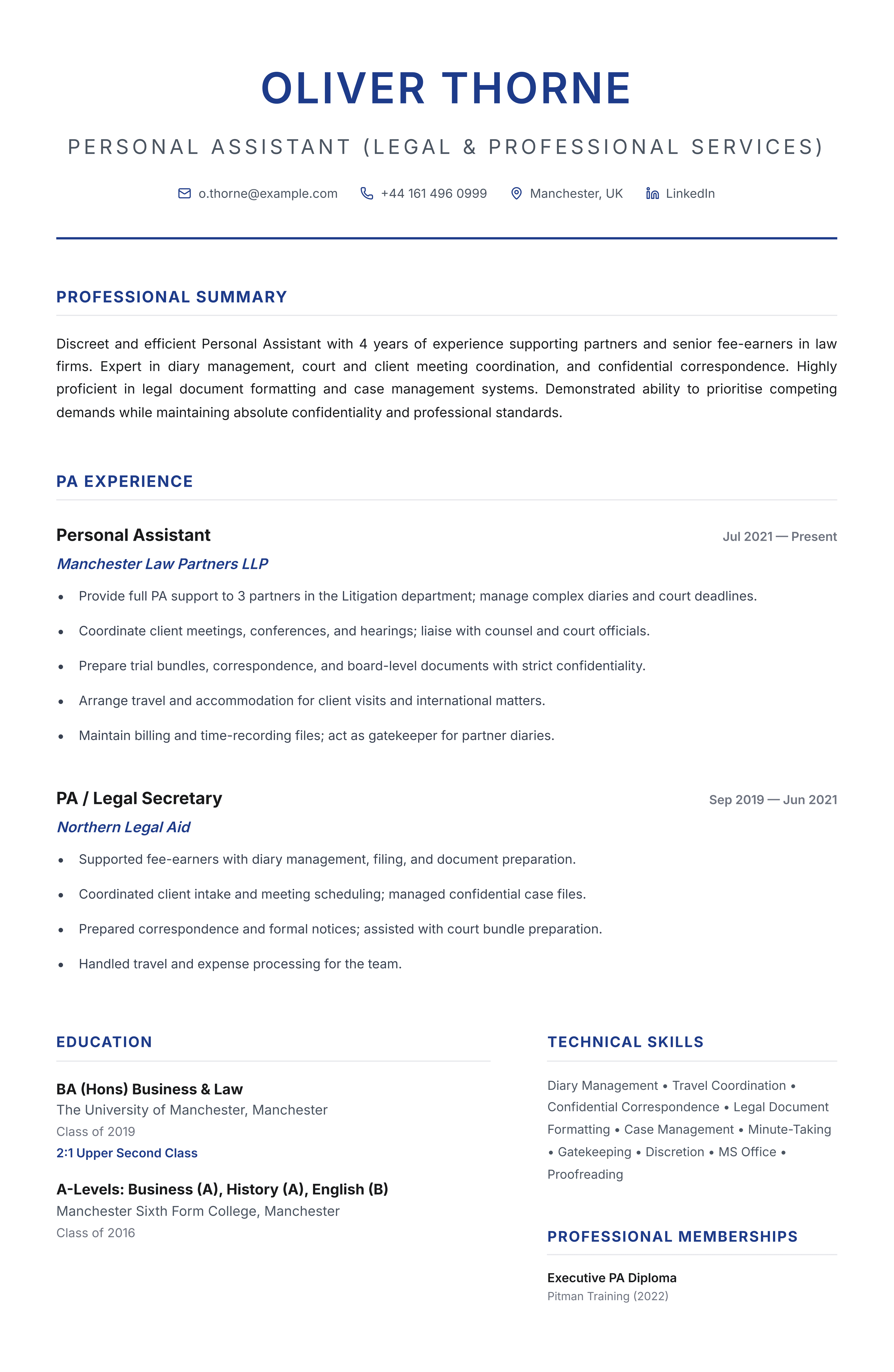
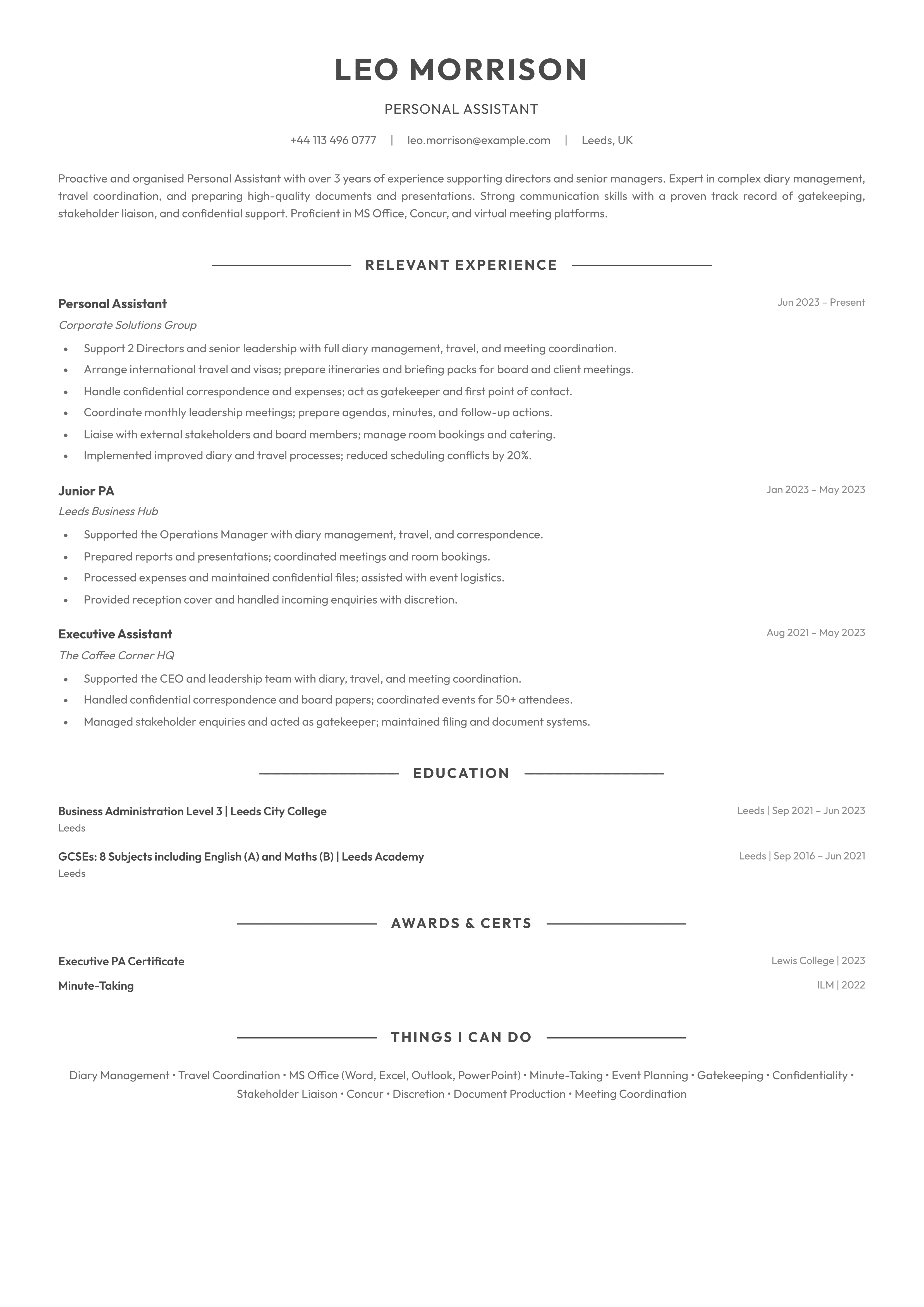
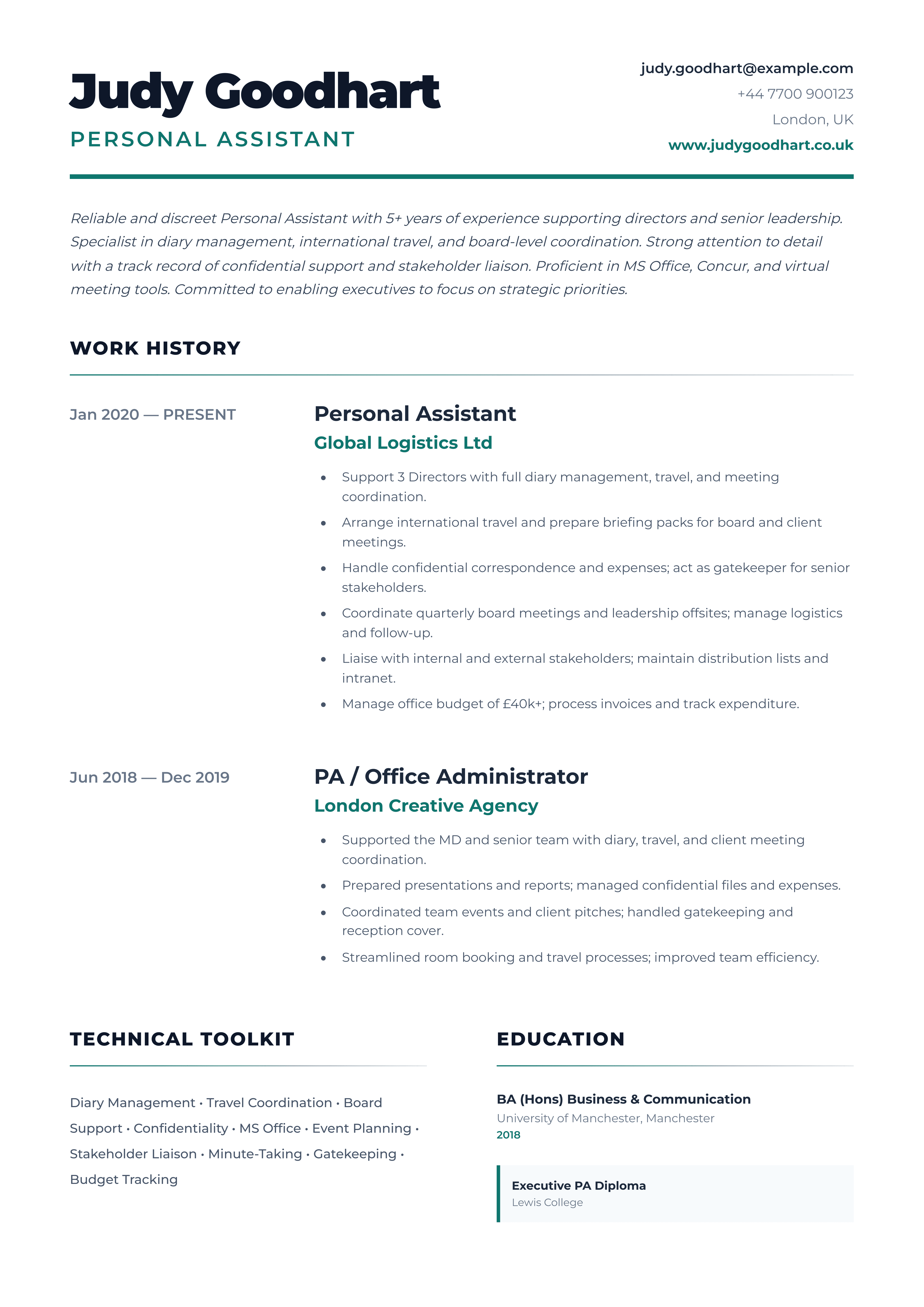
Take a look at the examples below and we will then break it down section by section.
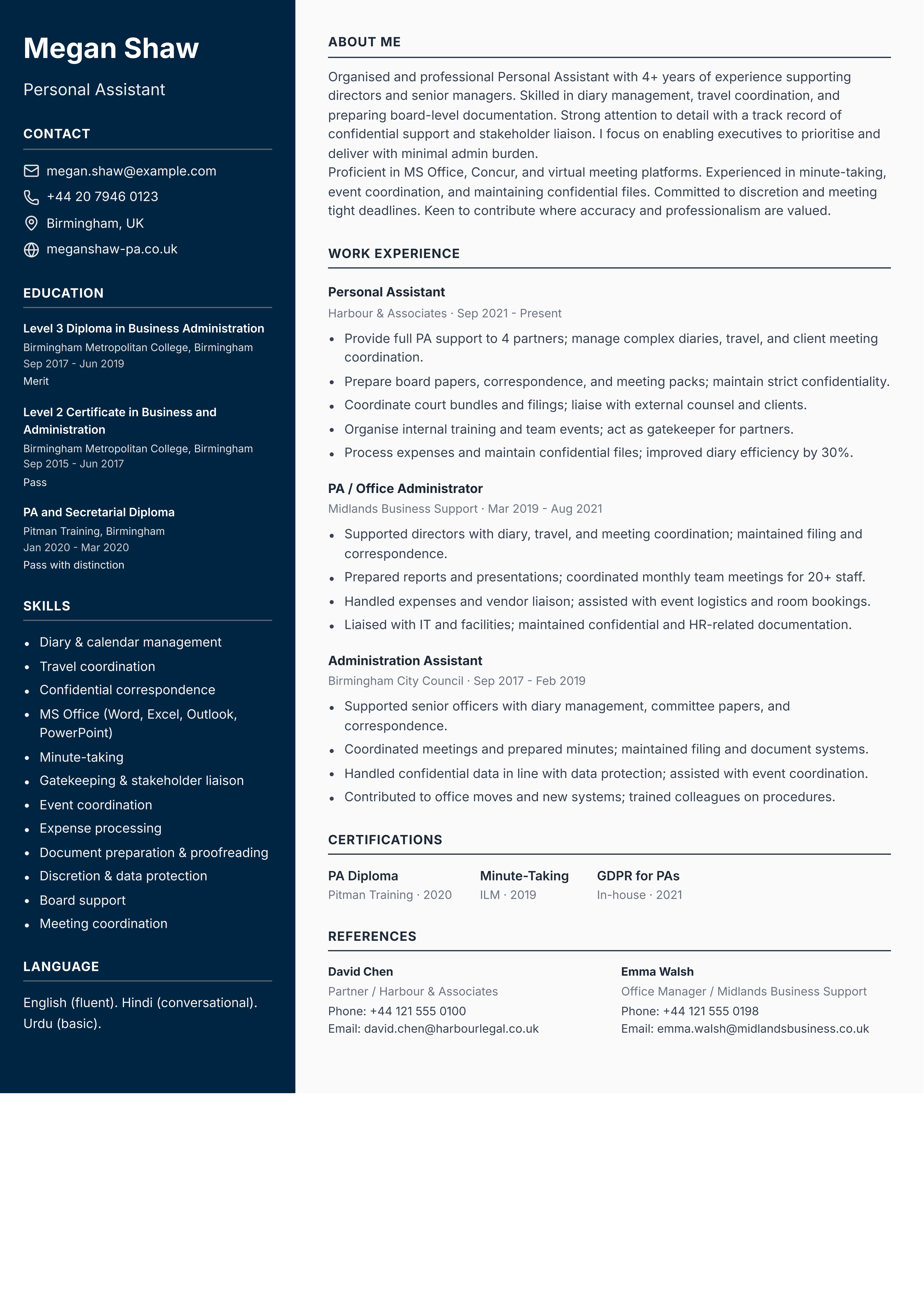
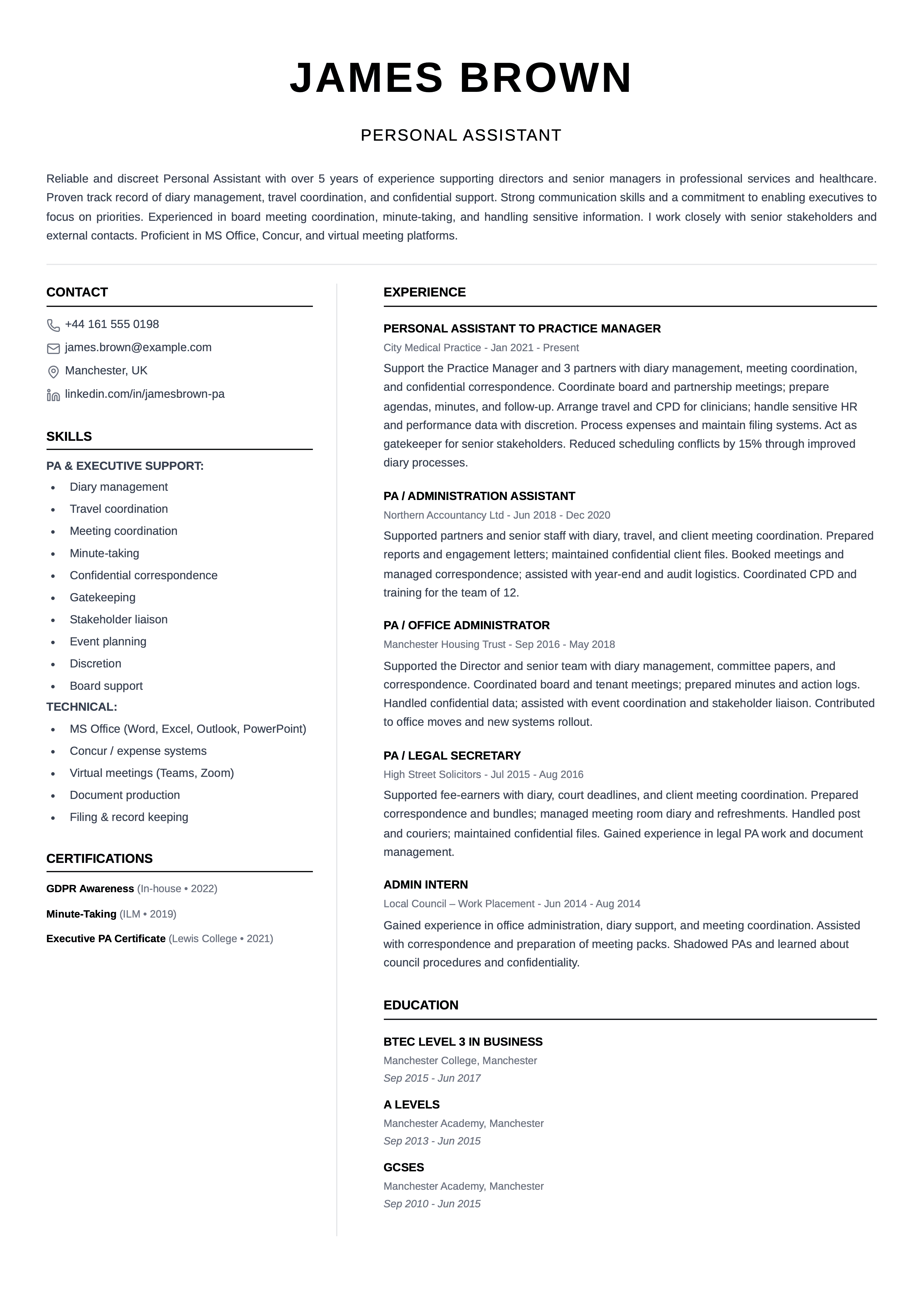
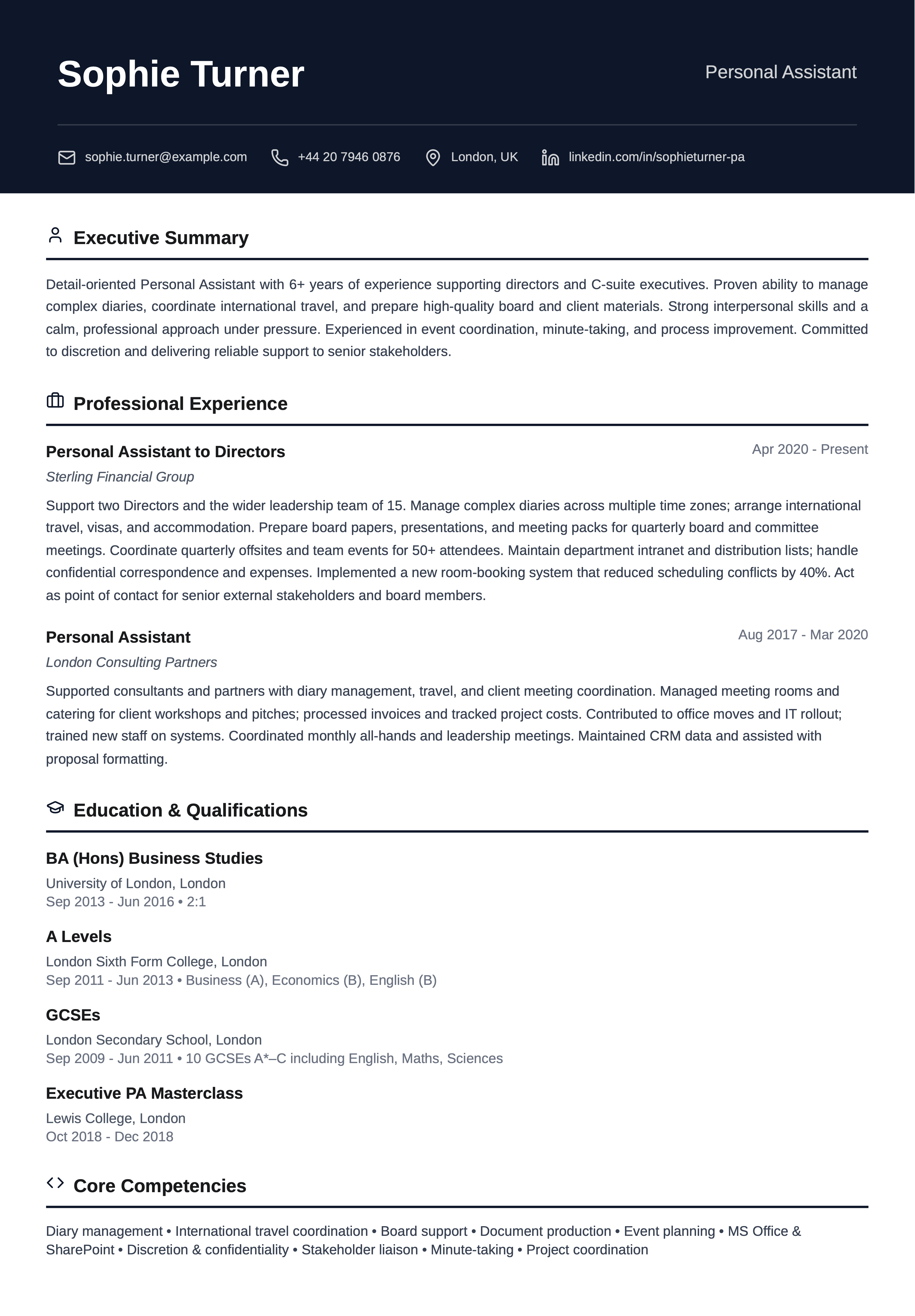
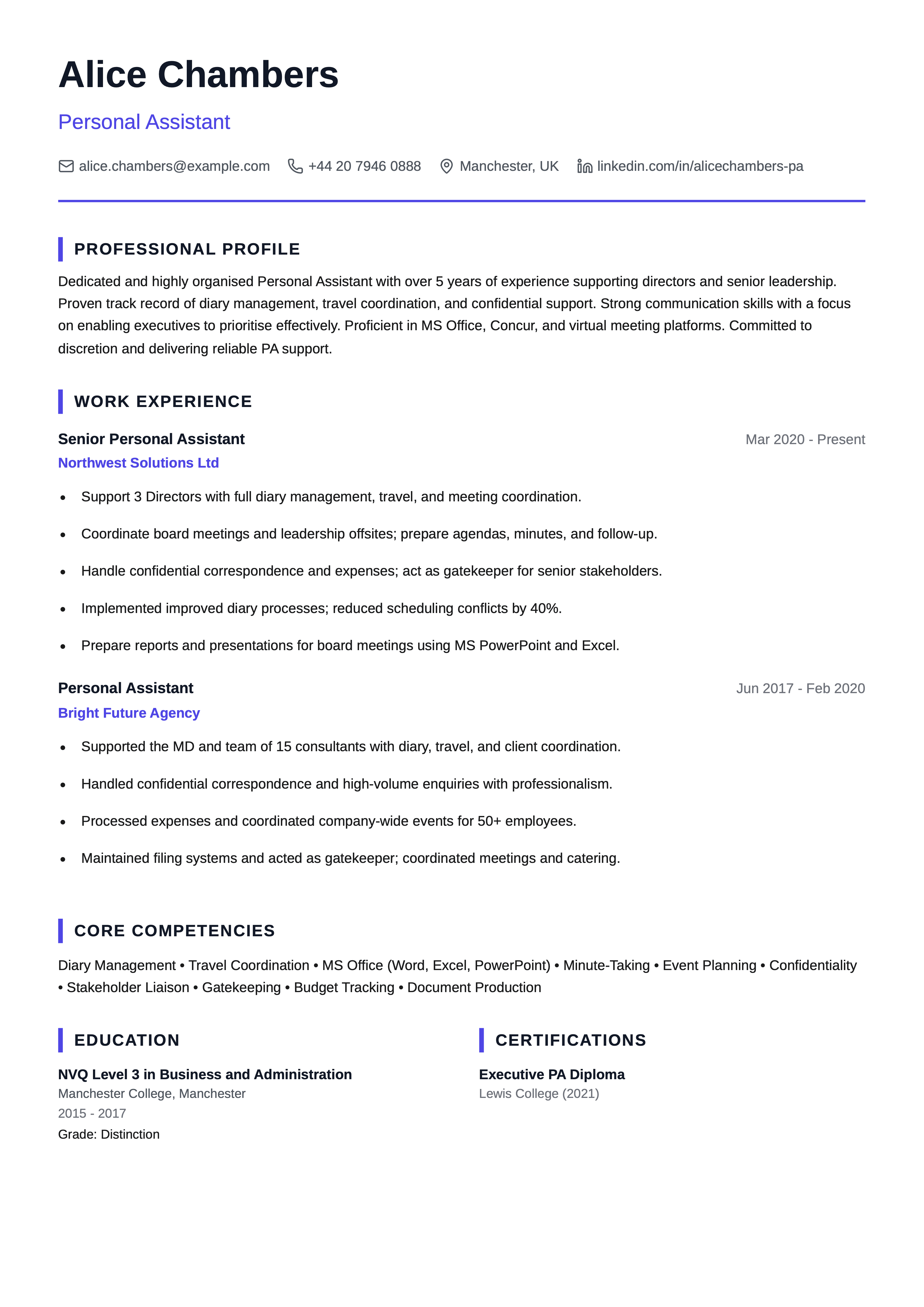
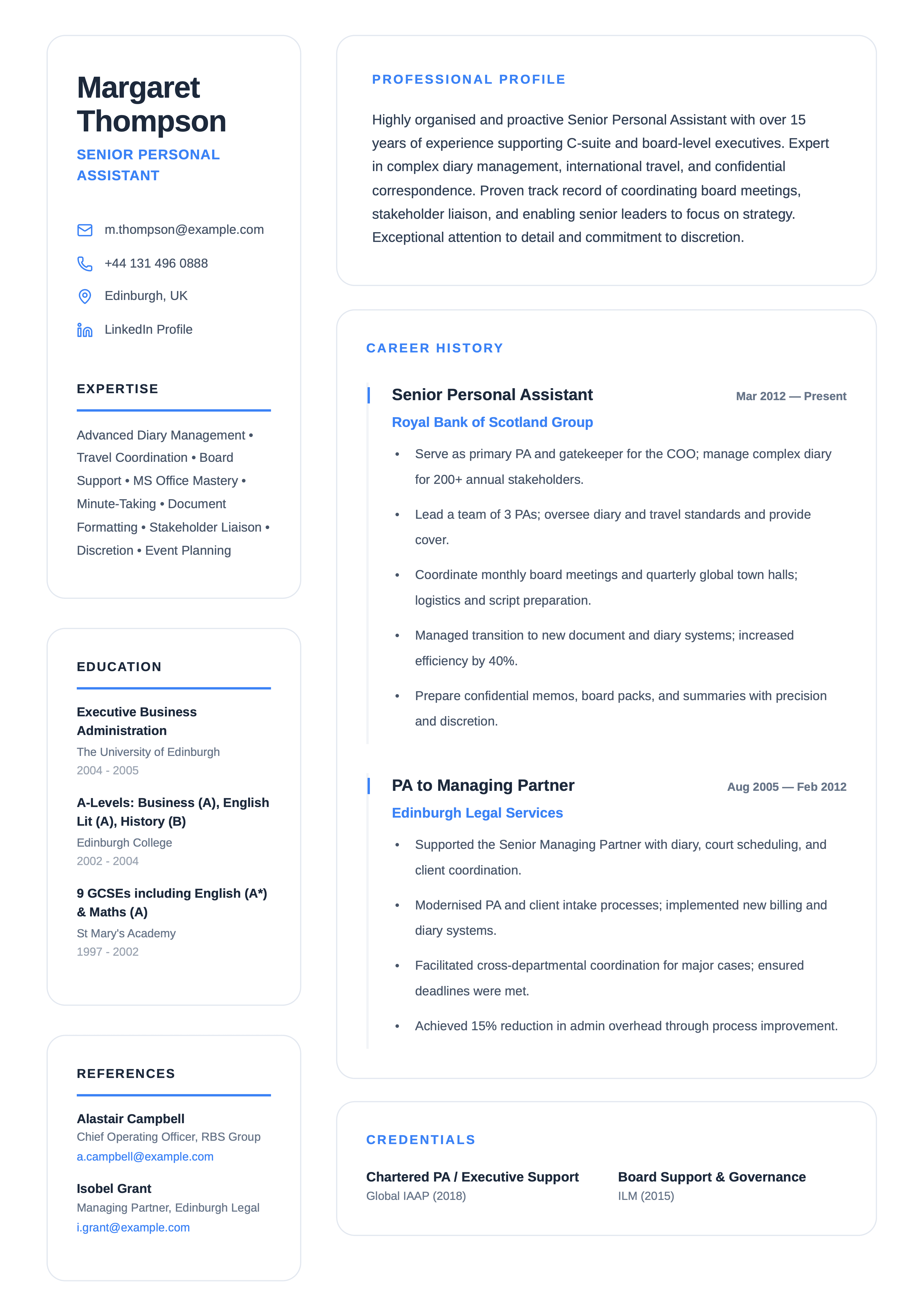
How to Structure a Personal Assistant CV
A strong PA CV shows you can own someone's diary, protect their time, and handle confidential work calmly. Employers skim for 1:1 support experience, tools and sector fit before they read in depth.
Structure your CV so who you supported (role level), team or firm type, and your core remit are obvious in the first half page.
What recruiters scan first
Typically: contact details and title, professional summary, most recent PA role, then skills (diary, travel, inbox, events) and education. If those sections match the job description, you are more likely to get a full read.
A structure that works:
- Name and target title (e.g. Personal Assistant, Team PA)
- Professional summary tailored to the role (keep it short; see below)
- Core skills (calendar, travel, expenses, communication, discretion)
- Work experience in reverse date order, most recent first
- Education and relevant qualifications (business admin, EA/PA diplomas)
- Optional: projects (office moves, system rollouts); interests only if credible
Format and length
Aim for one or two pages: enough space for evidence, short enough to skim. Use clear section headings and bullets for achievements. Lead with facts employers search for (Outlook, Google Workspace, Concur, fee-earner support, client-facing reception).
Reverse chronological vs skills-first
Most PAs should use reverse chronological work history. A skills-first layout can work if you are new to PA work or changing sector, as long as you still prove outcomes and tools.
Maintain immaculate formatting (dates, headings and bullet rhythm) and proofread twice before sending. For PA roles, your document presentation is treated as evidence of organisational standards.
Contact Details
Put your full name, professional email and phone number at the top. A clear job title line (for example "Personal Assistant" or "PA to the Managing Director") helps recruiters immediately see fit.
Town or city is enough for location; you do not need your full address at application stage. LinkedIn is useful when your profile mirrors your CV.
What to include
- Full name and how you want to be addressed professionally
- Professional email address
- Mobile number
- Town or city (optional)
- LinkedIn URL (optional)
What to leave out
- Full home address
- Date of birth
- Marital status
- NI number on the CV (unless specifically requested)
Professional Summary
Use this section to state your years of experience, who you typically support (directors, partners, HNW principals), and the role you want next. Tie in phrases from the job advert where they are accurate: for example inbox management, international travel, or fee-earner support.
Keep it factual and specific, and roughly within about four to six lines (many guides suggest under 100 words). Generic lines like "highly organised" waste space that could mention systems, stakeholder groups or confidentiality instead.
In the examples below, the highlights follow the same idea each time: who you support (level, sector), tools and remit (diary, travel, expenses), and trust and delivery (deadlines, tone, discretion).
Personal assistant with 7+ years supporting directors in professional services. Strong in complex diary juggling, global travel and confidential correspondence and gatekeeping.
PA with 5 years supporting fee earners in a mid-size law firm. Experienced in client meetings, court diaries and billing admin and matter filing.
Administrator stepping toward PA work with 18 months supporting a small leadership team. Comfortable with Microsoft 365, room bookings and professional communication with senior stakeholders.
Skills
Split tools from judgement skills if it helps readability. Match language to the role: a PA to a founder differs from a team PA supporting a department.
Aim for a tight mix of hard skills (calendars, travel systems, document production) and soft skills such as discretion, tact and composure. Around 8 to 14 well-chosen lines often works well.
Only list what you can discuss at interview.
Professional Experience
List roles in reverse chronological order with employer, job title and dates. Use bullets for responsibilities and outcomes; numbers beat adjectives.
A clear structure for each role
For each job, recruiters often read in three passes. A layout that matches that helps:
- Context: firm type, who you supported, team size
- Responsibilities: diary, travel, inbox, projects, confidential work
- Achievements: time saved, events delivered, process improvements
How to write strong experience bullets
Good pattern: what you did + scope + measurable outcome. For example: "Managed a principal's inbox with same-day triage for 120+ daily messages and zero missed board deadlines in 12 months."
Lead bullets with high-trust verbs (for example "prioritised," "orchestrated," or "safeguarded") so recruiters can scan judgment and impact quickly.
Useful details include geography of travel, event sizes, systems used and any training or cover you led.
- Seniority supported and rough headcount context
- Client or board exposure where appropriate
- Budget or purchasing responsibility if you had it
- Discretion: describe the work type without naming sensitive facts
Ran end-to-end logistics for quarterly board meetings including papers, catering and VC links, with papers issued on schedule for 18 consecutive cycles.
Handled emails and meetings for the boss.
Education & Qualifications
Include your degree or college qualifications, business administration or PA diplomas, and relevant CPD (minute-taking, advanced Word/PowerPoint, languages).
For GCSEs or equivalent, a single summary line is usually enough unless the employer asks for detail.
What to include based on your path
First-job applicants should foreground admin experience and IT confidence. Career changers can highlight transferable coordination from hospitality or retail. Senior PAs should show progression into 1:1 principal support or team leadership where relevant.
Level 3 Diploma in Business Administration
2019
Executive PA Certificate (examples)
2021
CPD
GDPR essentials, advanced Outlook, unconscious bias (as relevant)
Projects & Additional Information
Use this for office moves, new expense policies, or onboarding a new principal—work that does not sit neatly under one job title.
Optional: charity committee admin, mentoring junior PAs, or language skills if relevant.
Career achievements and awards
Short listings work well: internal recognition, successful offsites, or leading a PA network. Pair each with a date or context.
Make sure your CV passes ATS checks
Many employers screen CVs electronically before a human reads them. To improve your chances:
- Use standard section headings recruiters expect
- Mirror key terms from the job description where truthful
- Keep the layout structured and text-led so ATS tools can parse schedules, systems and achievements reliably
- Avoid tables and text boxes that parsers struggle with
- Export to PDF only if the employer allows it; otherwise use Word if asked
- Keep layout simple and legible
Before you send: align the wording with the advert, proofread names of firms and principals, and add a cover letter when the role asks for one or you need to explain a career move.
References
It is normal to write "available on request" unless the advert asks for referees up front. A principal you supported or an HR contact is often strongest where policy allows.
What to include for each referee
- - Full name and title
- - Organisation
- - Email and/or phone
- - Relationship (e.g. principal supported, line manager)
Ready for your next PA role?
Choose a personal assistant template and start editing.
Browse Personal Assistant CV Templates